How to use the platform
This guide walks through every workspace with annotated screenshots. The platform monitors the Federal Register across six agencies, matches it against a curated set of policy questions, and surfaces prioritized alerts — while serving nearly every interaction with zero runtime AI inference. Hover any numbered marker to see what it points to.
Signing in
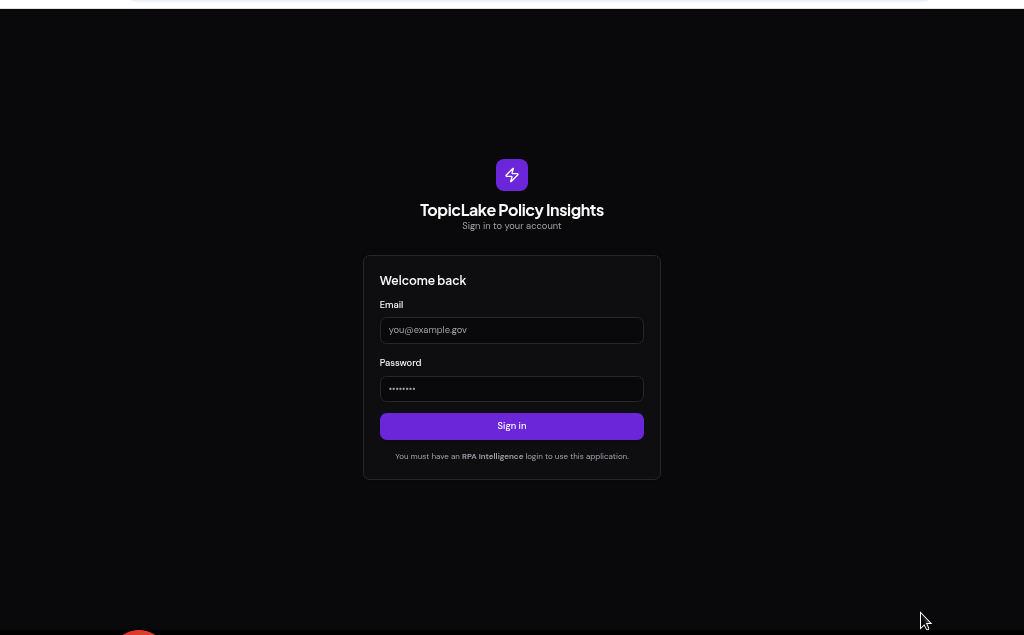
Access requires an RPA Intelligence login. Enter your credentials on the sign-in screen to open the workspace.
 123
123- 1Enter the email tied to your RPA Intelligence login.
- 2Enter your password.
- 3Click “Sign in” to enter the workspace.
Policy Insights — your alert home base
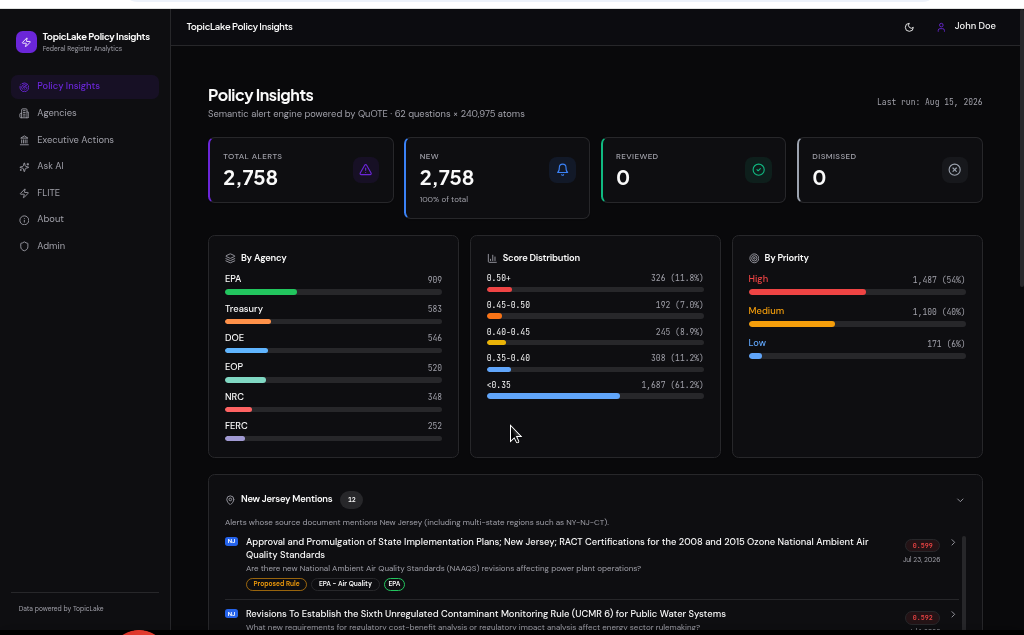
The landing page is the semantic alert engine. It matches the monitored questions against every document atom and surfaces prioritized, relevance-scored alerts — scoped to New Jersey and the six monitored agencies by default.
 123456
- 1Navigation sidebar — switch between every workspace.
- 2Alert KPIs: total, new, reviewed and dismissed.
- 3Alerts broken down by monitored agency.
- 4Distribution of relevance-match scores.
- 5Alerts grouped by priority (high / medium / low).
- 6New Jersey Mentions — alerts whose source text names NJ.
Agencies — regulator snapshots
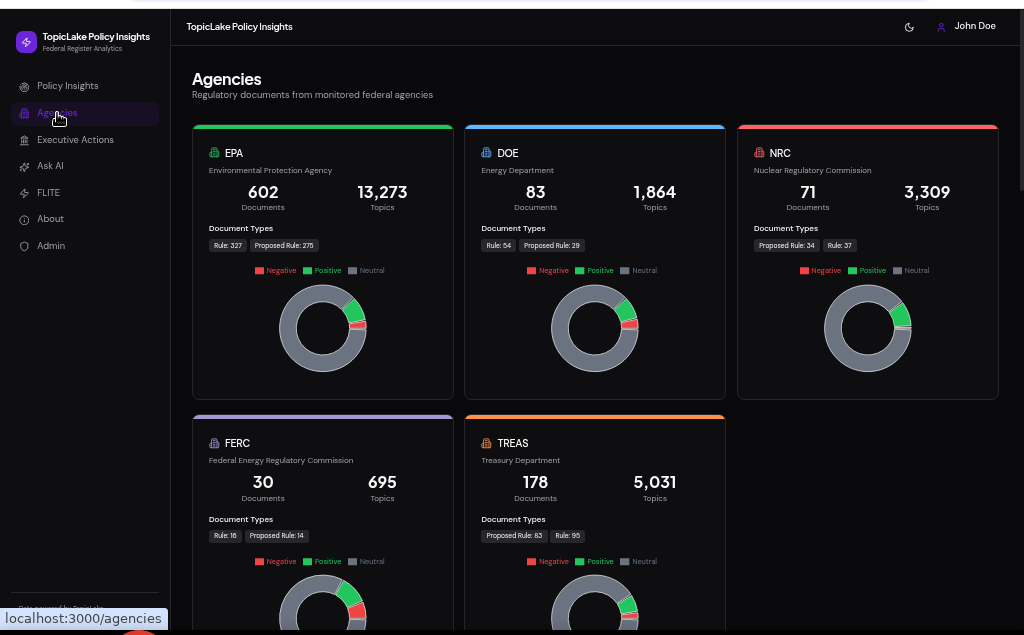
One card per monitored agency (DOE, EPA, Treasury, FERC, NRC, EOP) summarizing document volume, topic coverage, document-type mix and sentiment.
 1234
1234- 1A card for each monitored federal agency.
- 2Document and topic counts at a glance.
- 3Breakdown of document types (rules, proposed rules…).
- 4Sentiment mix — positive / negative / neutral.
Executive Actions — presidential documents
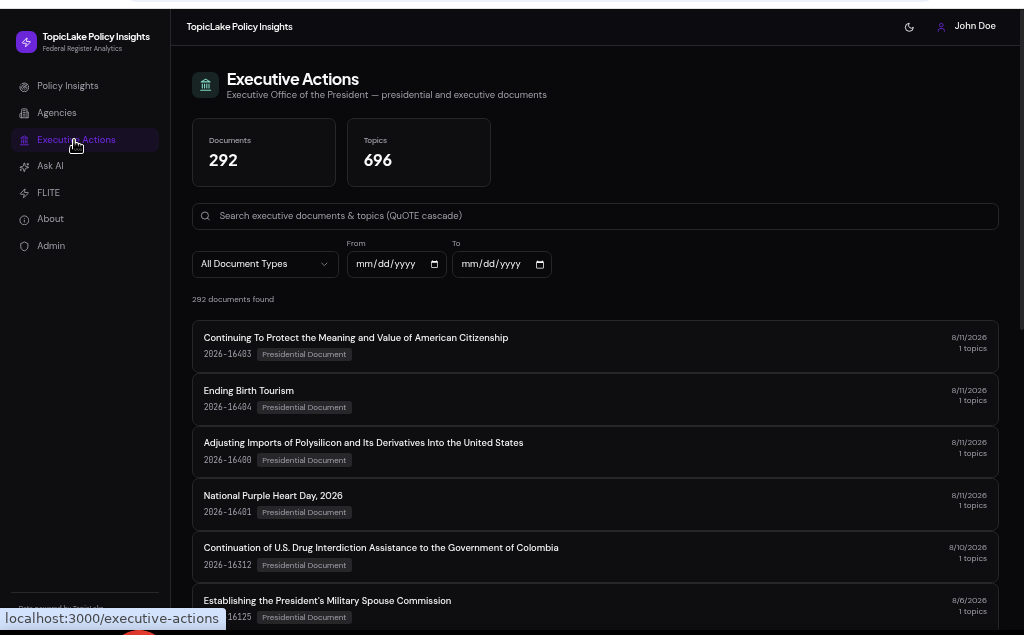
A searchable, filterable feed of Executive Office of the President documents. Search runs through the QuOTE cascade (semantic + lexical) with zero runtime inference.
 1234
1234- 1Corpus totals — documents and topics tracked.
- 2QuOTE cascade search across documents and topics.
- 3Filter by document type and date range.
- 4Result list — click any row to inspect the document.
Ask AI — grounded answers
Ask a plain-language policy question and receive an answer synthesized only from the retrieved substrate (QuOTE-grounded RAG). This is the single sanctioned live-inference surface — its token spend is metered in FLITE.
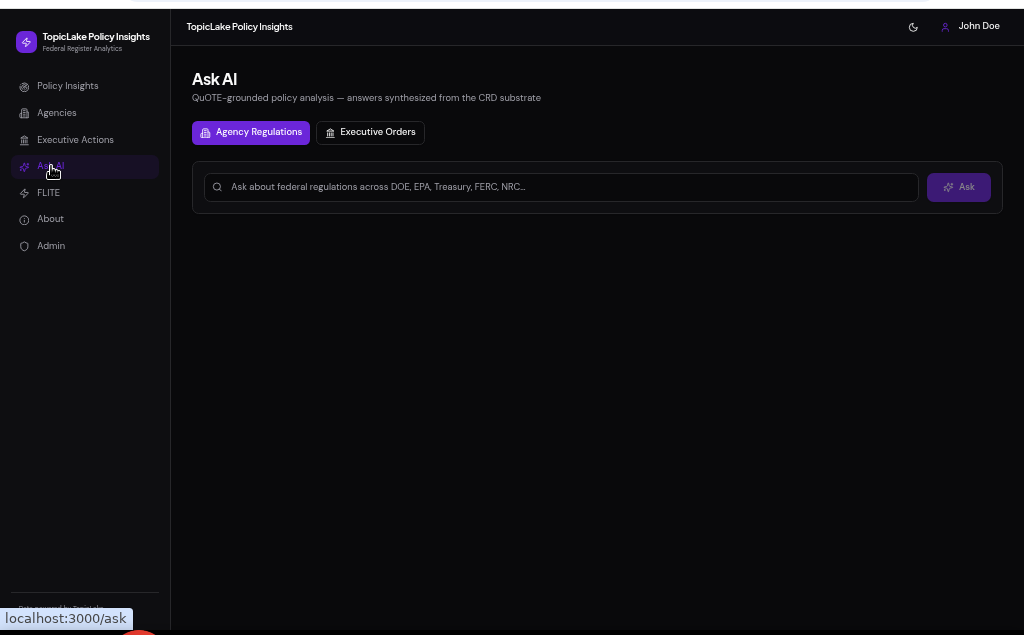 123
123- 1Pick the corpus to ground answers in (Agency Regulations or Executive Orders).
- 2Type your policy question here.
- 3Click “Ask” for a cited, grounded answer.
FLITE — inference economics
FLITE (Fractional LLM Inference Token Economics) quantifies how efficient the platform is. It counts only inference this app introduces — pre-computed enrichment retrieved from the repository is explicitly excluded.
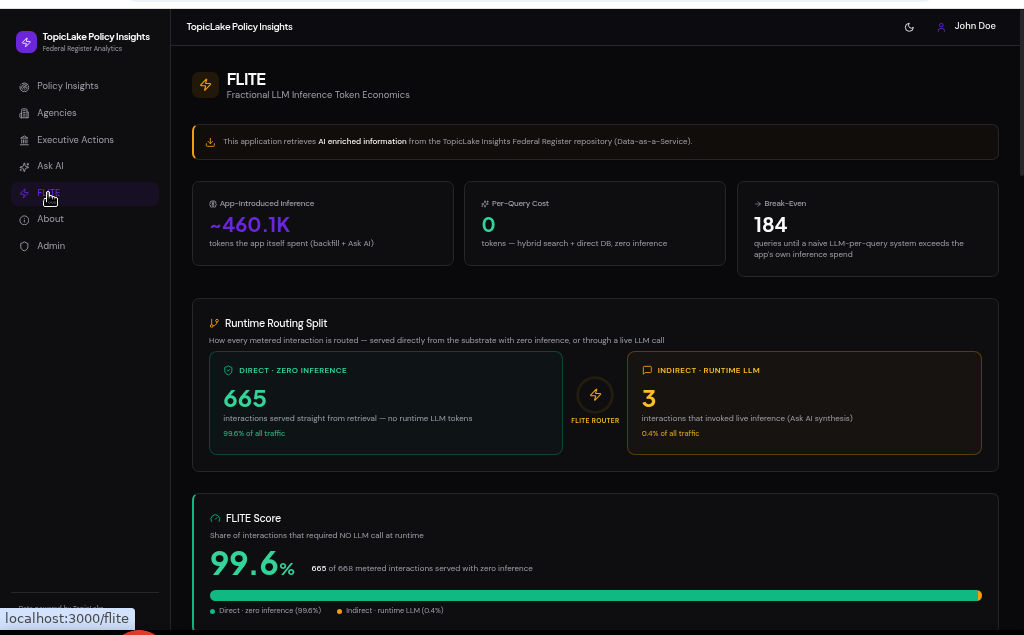 12345
12345- 1Reminder: retrieved DaaS enrichment is not charged to this app.
- 2Inference this app actually introduced (backfill + Ask AI).
- 3Break-even vs. a naive LLM-per-query system.
- 4Runtime routing split: direct (zero-inference) vs. indirect (live LLM).
- 5FLITE Score — share of interactions needing no runtime LLM call.
FLITE Savings — environmental impact
Further down, FLITE lists the zero-inference serving surfaces, the excluded pre-computed enrichment, and an environmental-savings estimate derived from the runtime tokens avoided — each figure tied to a cited conversion factor.
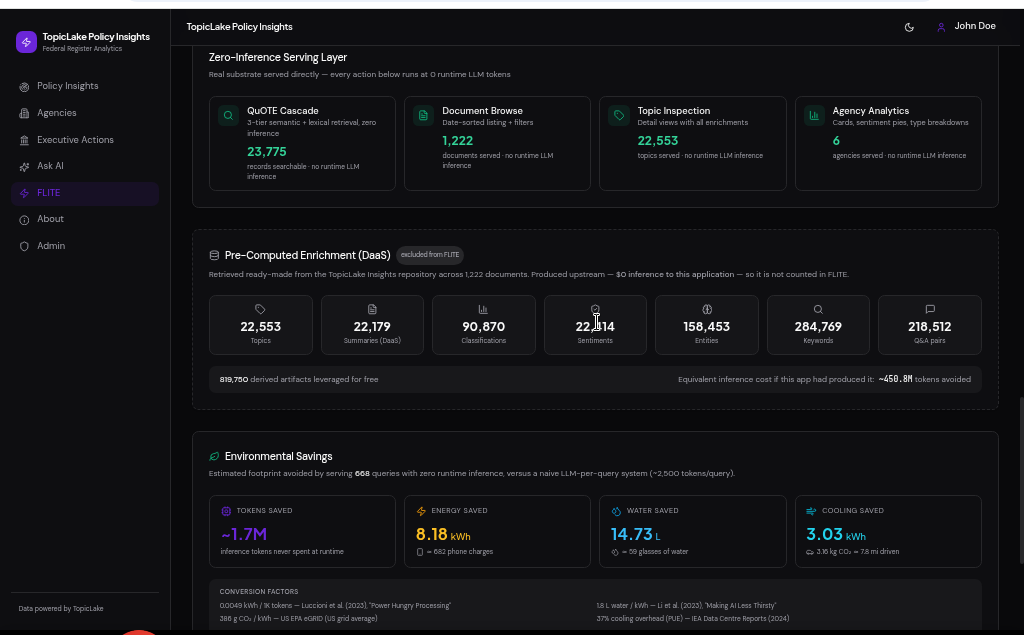 1234
1234- 1Zero-inference serving surfaces (search, browse, inspection, analytics).
- 2Pre-computed enrichment — leveraged for free, excluded from FLITE.
- 3Environmental savings from the tokens never spent at runtime.
- 4Cited conversion factors and their sources.
Ready to dive in?
Sign in with your RPA Intelligence login to start exploring live alerts.
Go to sign in